Training app for teams without desks

Training that fits in every pocket.

A complete training system for people who work on shift, on the road or on the shop floor: an app for employees, a panel for managers and courses built on your procedures. It works on phones, tablets and computers.

See it in action

Two points of view: employee and manager

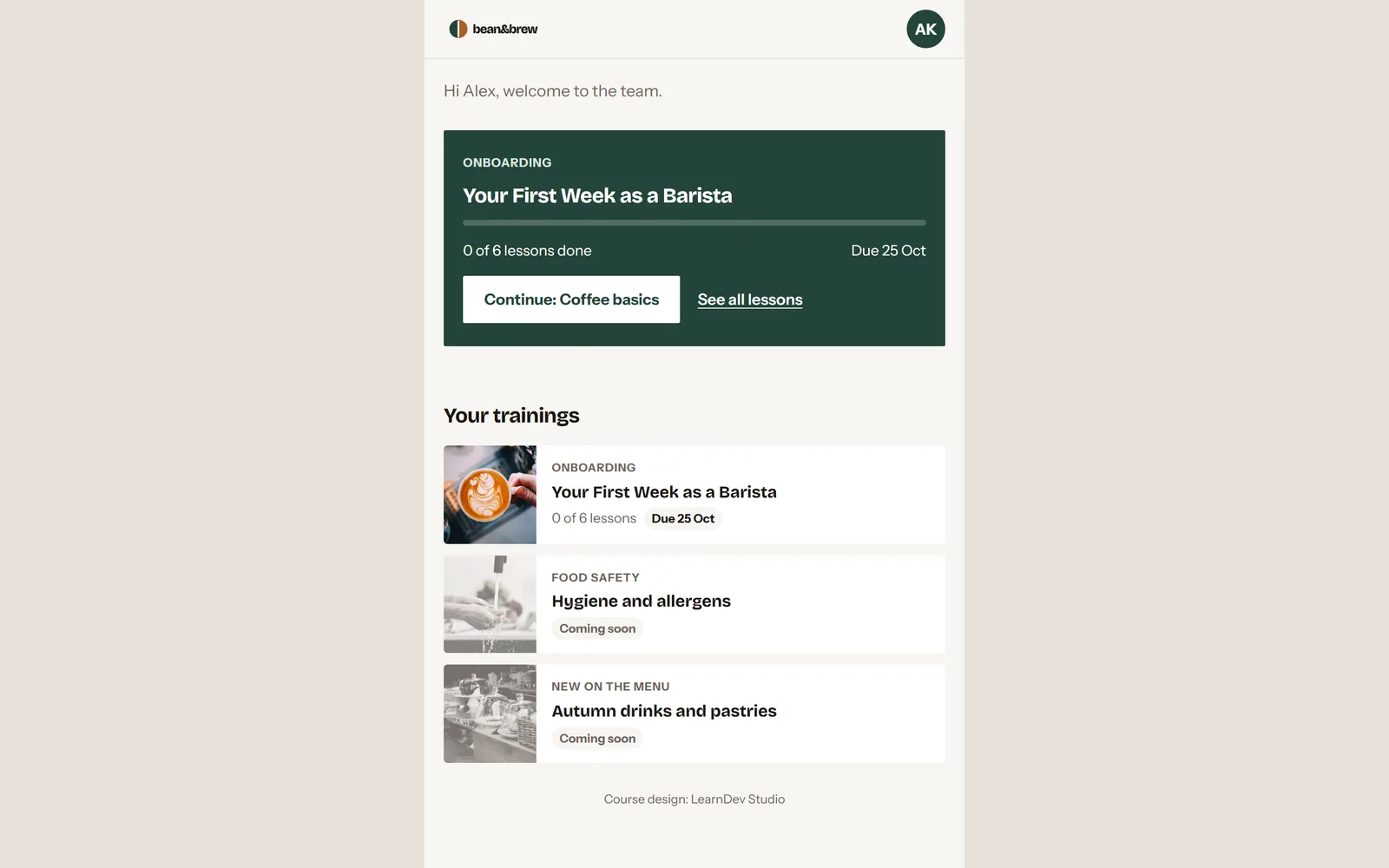
Under a minute each, filmed in the real app. The demo is set up for a coffee chain; your version carries your name, your logo and your trainings.

Training in their pocket

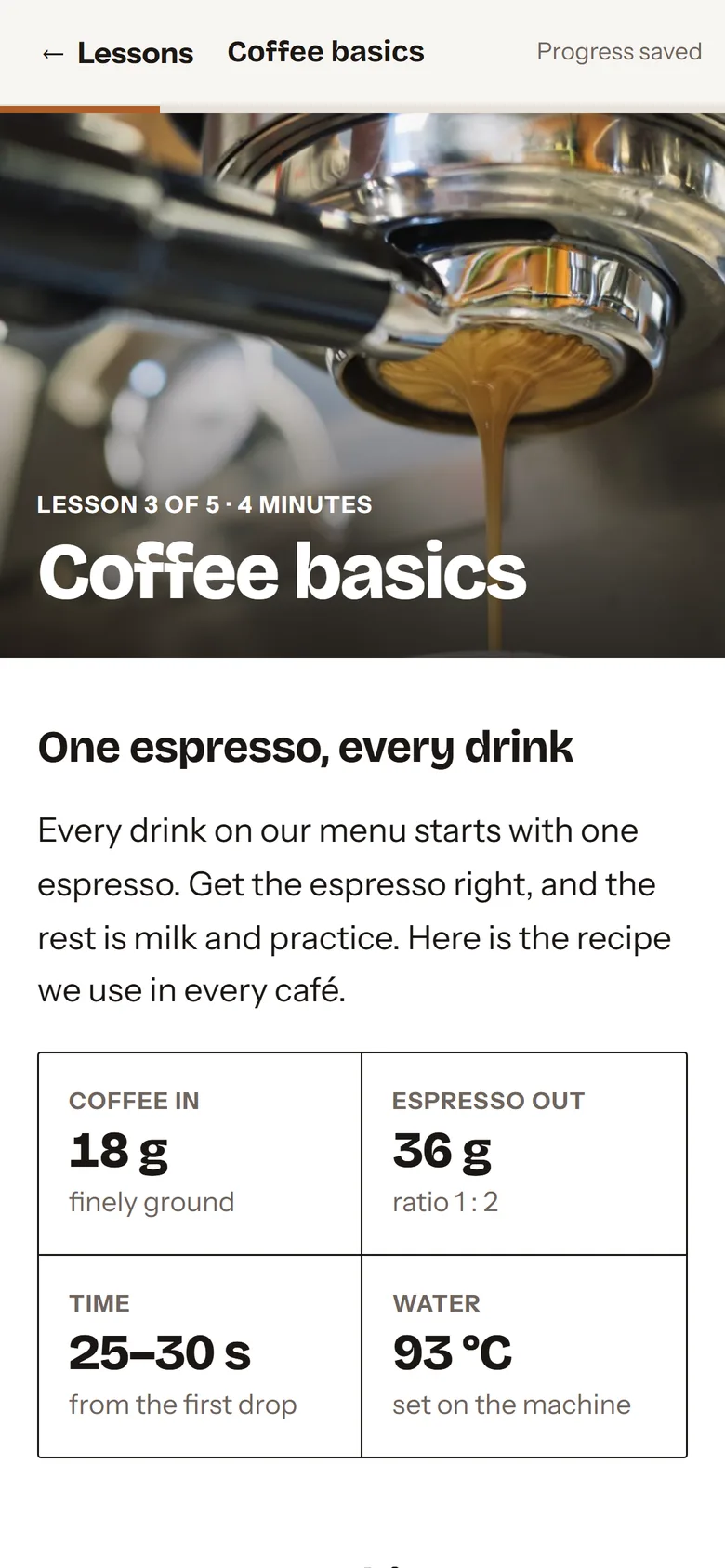
What your employee sees

    Your brand

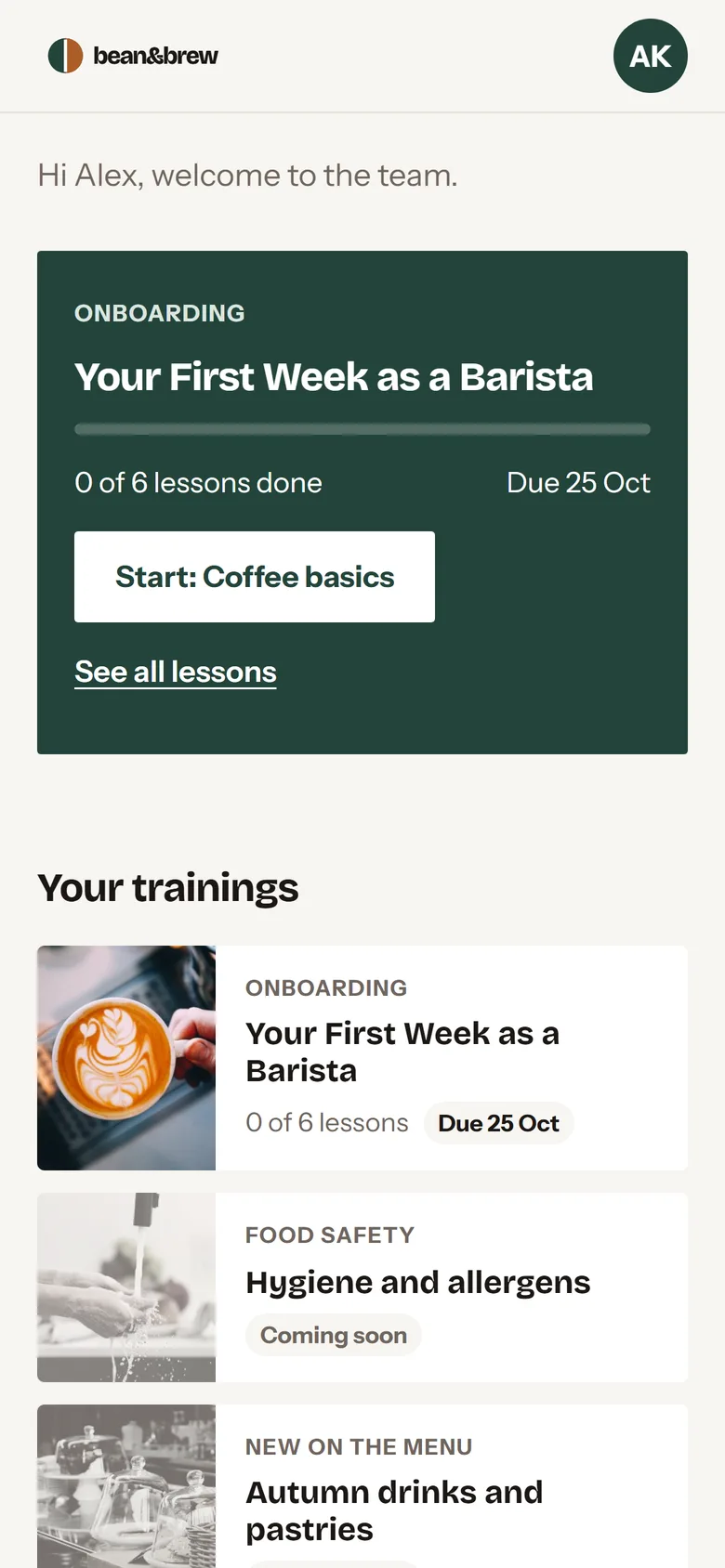
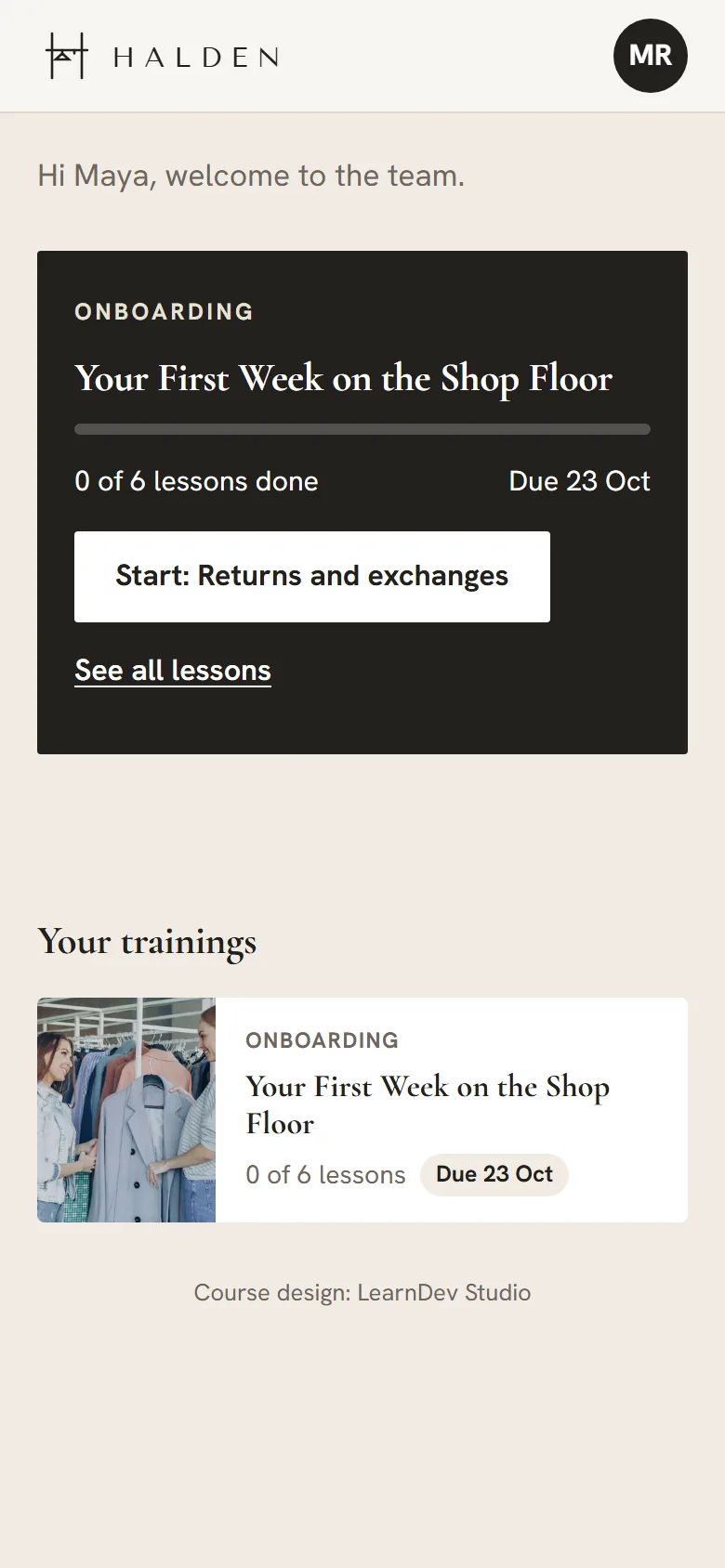
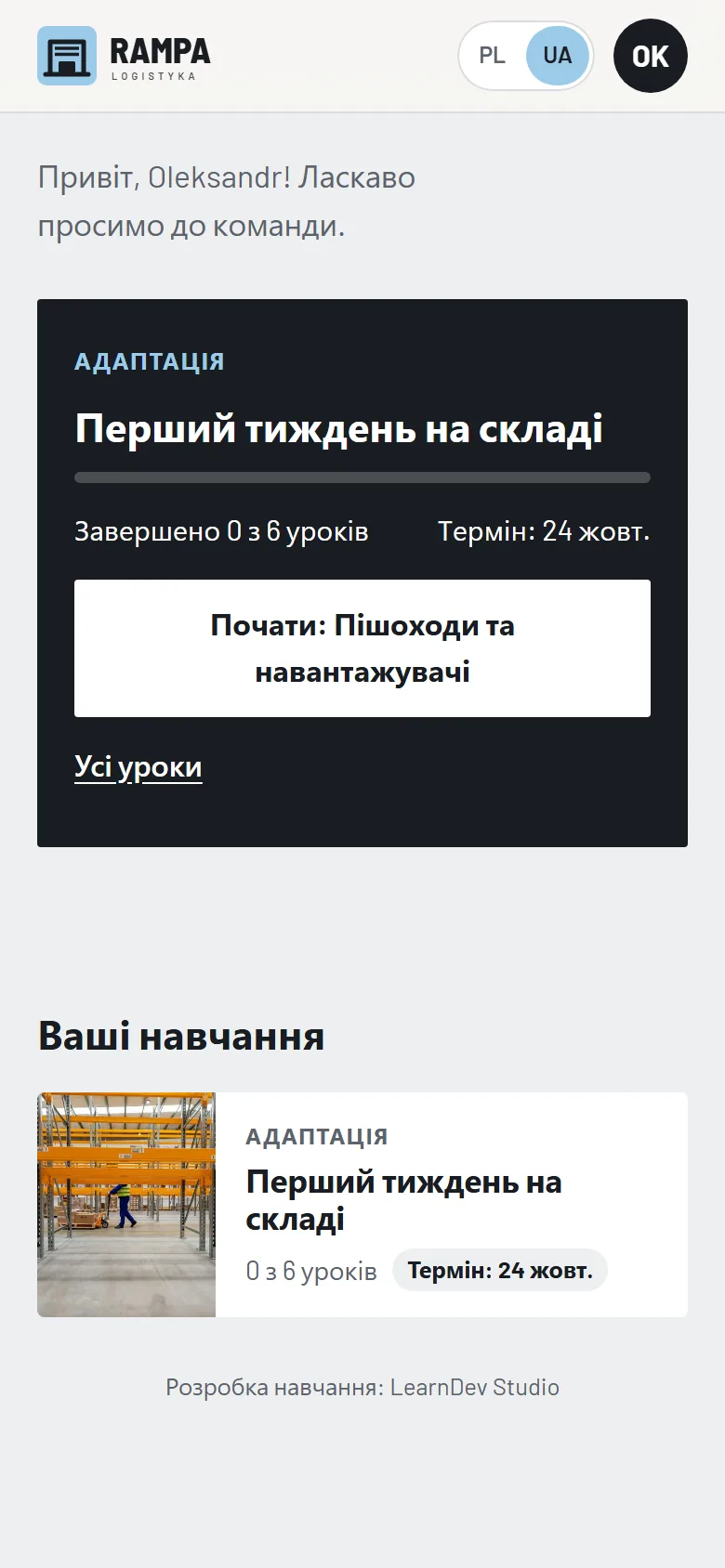
    The same app, three different companies

    One system, three demo installations. Each has its own name, logo, colours, fonts, languages and lessons. Your version is built the same way, for your company.

    Your name and logoYour colours and fontsYour team's languagesYour lessons and certificates

    Bean & Brew, Halden and Rampa Logistyka are demo brands created by ToLearn Studio.

    When it pays off

    Made for teams a trainer can't easily reach

    The more of these describe your company, the more the app saves you.

    • Spread-out teams

      Many locations, field crews, night shifts. No trainer on site.

    • High turnover or seasonal hiring

      New people every month need the same basics, fast.

    • Training required by law

      Health and safety, food hygiene, licences, with a record of who completed what.

    • Mistakes that cost

      An accident, a complaint, a fine or a lost customer.

    • Multilingual teams

      Content in the language each person understands best.

    For employees

    Everything on one screen, from day one

    Nothing to download from a store. The app opens from a link or a QR code and goes on the home screen in one tap. Progress is saved to the account, so people can start on the phone and finish on the computer.

    PhoneTabletComputerAndroidiPhone & iPadWindows & Mac
    Try the demo app

    Opens in a new tab. The demo account details are on the sign-in screen.

    Invitation by QR code, e-mail or SMS

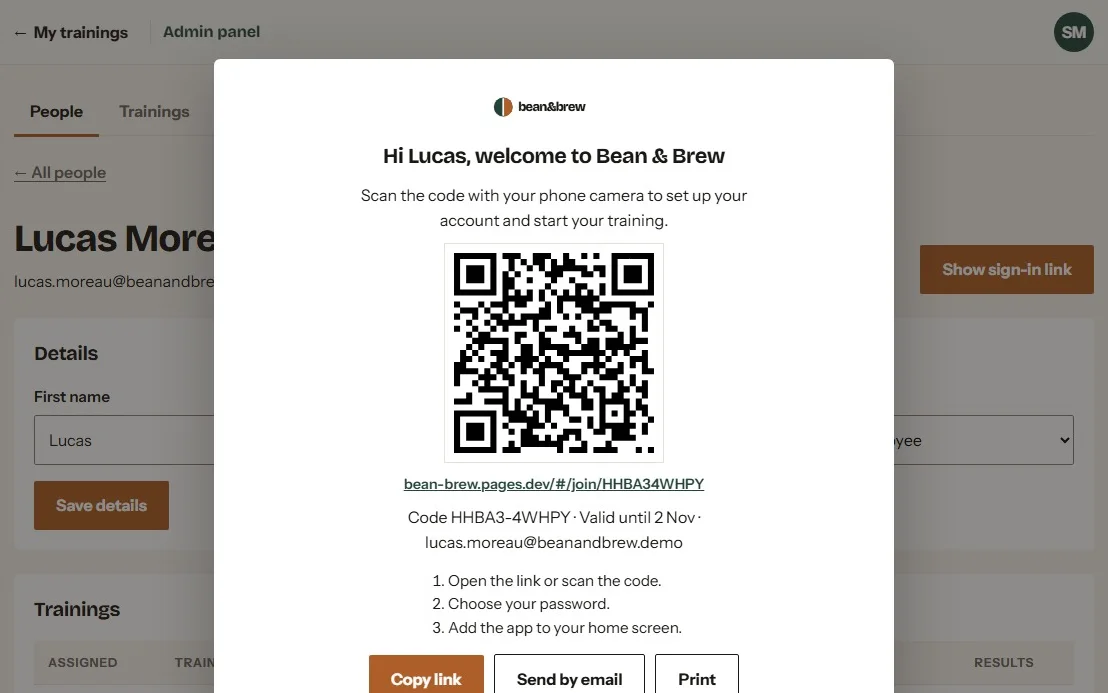
    New people get a personal sign-in link: on a printed card with a QR code, by e-mail or by text message. They set a password, and on day one they are ready to learn.

    Clear deadlines

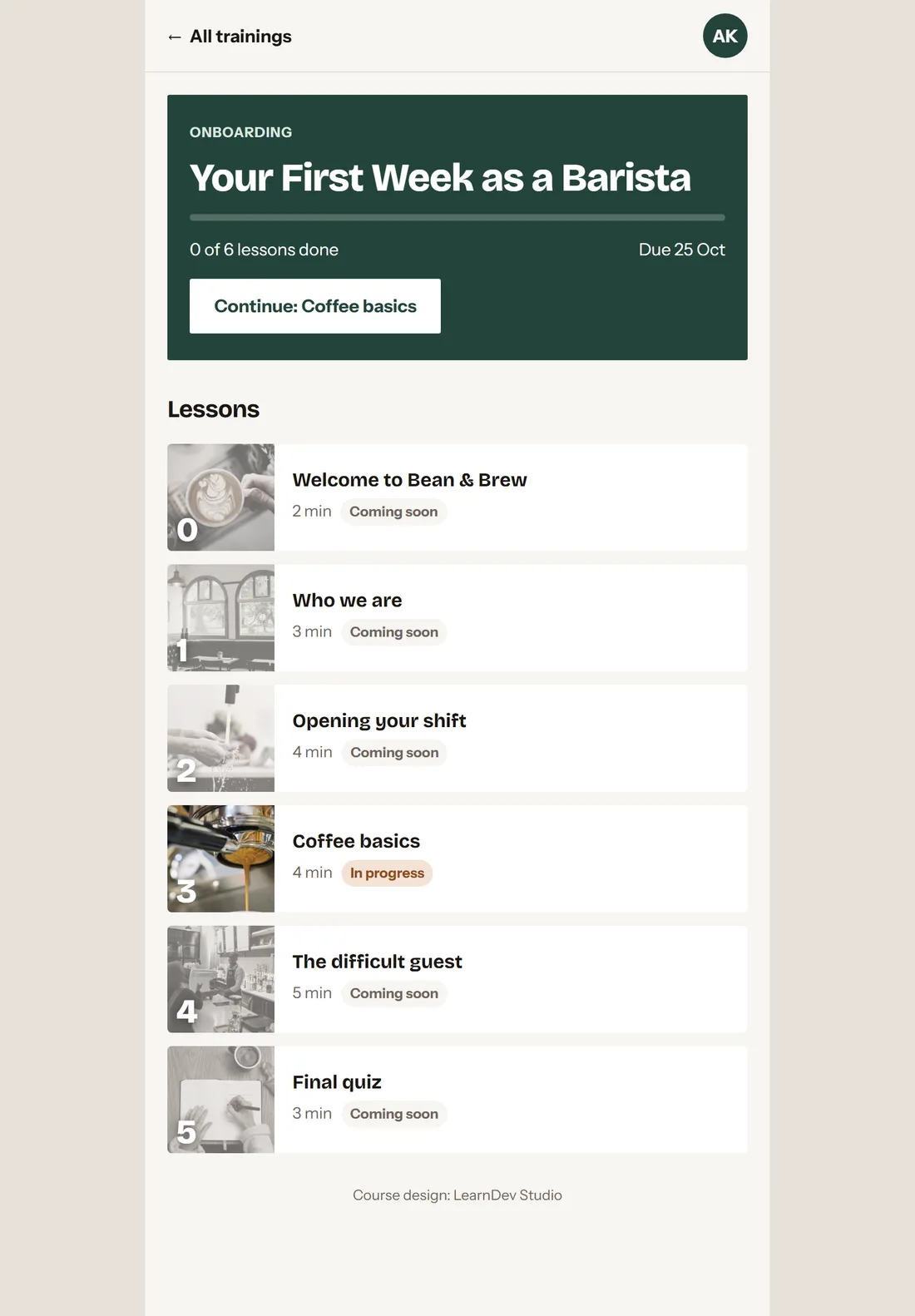
    Everyone sees what to complete and by when, with a clear warning when time is running out.

    Five-minute lessons

    Short enough for a quiet moment between tasks or the minutes before a shift.

    Progress saves itself

    Stop mid-lesson and pick up exactly where you left off, on any device.

    Ready for a weak signal

    The app keeps itself on the device, so a poor connection on site doesn't stop the learning.

    Certificate at the finish

    Complete the training and download a certificate with your name and the date.

    For managers and HR

    Every location, every new hire, one view.

    Less time explaining the same things to every new person. More time for the actual work.

    1. 1

      Add the whole team from Excel

      Upload your staff list or fill in our template. Teams and roles come with it.

    2. 2

      Send the invitations

      Each person gets a personal sign-in link with a QR code. Print the cards all at once, or send the link by e-mail or SMS.

    3. 3

      Assign trainings and deadlines

      Onboarding for new hires, a safety refresher for everyone, a new procedure for one team.

    4. 4

      See who is ready

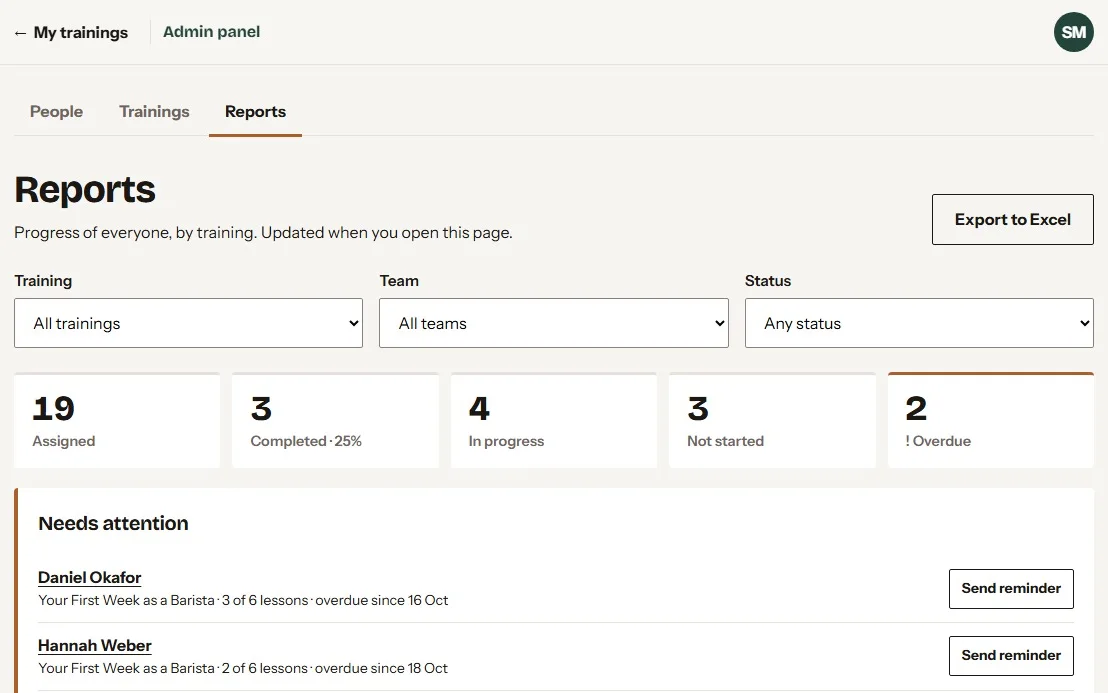
      Filter by location, training or status: completed, in progress, overdue.

    5. 5

      Remind in one click

      A ready reminder e-mail for anyone who is falling behind.

    6. 6

      Export for HR and audits

      Download the report to Excel: who completed what, and when.

    7. 7

      Publish new lessons yourself

      New product or procedure? Upload the lesson and your team has it the same day.

    Manager panel report: 19 assigned, 3 completed, 4 in progress, 2 overdue, with a list of people who need a reminder
    The report: who is done, who is late, and a reminder button next to each name.
    Sign-in card with a QR code for a new employee
    A sign-in card: scan, set a password, start.

    Industries

    One app, many professions

    Wherever people learn on their feet rather than at a desk. Grouped by where your team works, with examples of trainings we build for them.

    Guest service

    At the counter, at the table, at reception

    • Restaurants and cafésdemo projectOnboarding, food hygiene, allergens, shift checklists
    • Hotels and tourismHousekeeping standards, reception, complaints, crisis abroad for tour reps
    • Retail and franchisesOpening and closing the store, the till, returns, upselling, displays
    • Sport, leisure and spaLifeguard procedures, pool safety, sauna rituals, front desk

    Field work

    On the road, on the roof, at the customer's door

    • Installers and service techniciansStep-by-step installation, handover checklists, safety on the roof, talking to customers
    • Sales reps and merchandisersA new product before the visit, planograms, the sales conversation
    • Couriers and logisticsDelivery procedure, the scanner, difficult customers, safe lifting
    • Passenger transportPassenger service, safety, eco-driving, what to do after a collision

    Shop floor, site and facility

    On the line, on the scaffolding, on the night round

    • Manufacturing and staffing agenciesInduction safety training, workstation instructions, 5S, site rules in the worker's language before day one
    • ConstructionInduction safety, scaffolding, work at height, multilingual instructions
    • Security and facility servicesSite procedures, evacuation, patrol rounds, safe use of chemicals

    Care and public safety

    Where people look after other people

    • Care and healthMoving a patient safely, hygiene, dementia care, emergencies
    • Events and stadiumsEntry control, evacuation, dealing with aggression, the venue map
    • NGOs, volunteers and fire brigadesFirst aid, crisis preparedness, rules of action

    How we can work together

    Training, an app, or both

    Our training works in your learning platform, and the app takes your own courses. The most value comes from both: content written on your procedures goes straight to your team's phones.

    • Training

      Courses, instructional videos and knowledge pills as SCORM and MP4 for your LMS. For companies that already have a learning platform.

      See the formats
    • App

      Your name and logo, a panel for managers, invitations by print, e-mail or SMS. Upload your own SCORM courses. For teams that work away from a desk.

      See the app
    • Training + app

      Recommended

      Courses written on your procedures, ready in your own app from day one. One partner from content to launch.

      See an example: a coffee chain

    Your version

    Your app, your trainings, your brand

    Every client gets a separate installation: your name, logo and colours, and your own server, so your team's data never mixes with anyone else's.

    1. Your materials

      Procedures, checklists, standards. Whatever you already use, even if it lives in someone's head.

    2. Your courses

      We write and design the lessons. You approve the script before production starts.

    3. Your app

      Your name, logo and colours on every screen.

    4. Launch

      We load your team and prepare the invitations: printed cards, e-mails or text messages. Your managers get a short walkthrough.

    Already have a learning platform? Every lesson is also a standard SCORM package that works in your LMS.

    Questions

    What companies ask us

    Do employees need to install anything?

    No. They open the link from their invitation, sent by e-mail or SMS, or scan the QR code on a printed card. Adding the app to the home screen takes one tap, and from then on it opens like any other app.

    Which devices does it work on?

    Phones, tablets and computers: Android, iPhone and iPad, Windows and Mac, in any up-to-date browser. One account works on all of them.

    Is it only for one industry?

    No. The app is the same; the trainings change. Our demos show a coffee chain, a clothing store and a warehouse, and the same system works for installers, couriers, carers or a production site.

    Can we use the courses in our own LMS?

    Yes. Every lesson is a standard SCORM 1.2 package, so it also runs on your existing learning platform.

    Can we upload our own courses?

    Yes. Any course in the SCORM 1.2 standard runs in the app, and managers publish it themselves. We can also create the courses for you.

    Where is our data stored?

    On servers in the European Union. Each client gets a separate installation, so your team's data is never mixed with anyone else's.

    In which languages?

    In the languages your teams speak. Trainings can be prepared in several languages for the same team.
    Contact

    Let's talk about training for your team

    Tell us what your people need to learn and how you train them today: courses, the app, or both. We'll reply with a proposal and, if you like, walk you through the demo.

    [email protected]
    Try the demo app

    Opens in a new tab. The demo account details are on the sign-in screen.